Method 1
put this string in google search:
1. "parent directory " MP3 -xxx -html -htm -php -shtml -opendivx -md5 -md5sums
2. "parent directory "Xvid -xxx -html -htm -php -shtml -opendivx -md5 -md5sums
3. "parent directory " /appz/ -xxx -html -htm -php -shtml -opendivx -md5 -md5sums
4. "parent directory " Name of Singer or album -xxx -html -htm -php -shtml -opendivx -md5 -md5sums
Showing posts with label howto. Show all posts
Showing posts with label howto. Show all posts
Jul 24, 2012
Optimize Broadband and Dsl Connections
These settings allow you to boost the speed of your broadband Internet connection when using a Cable Modem or DSL Router with Windows 2000 and Windows XP.
Jul 22, 2012
Windows Hidden Apps
WINDOWS HIDDEN APPS:
To run any of these apps go to Start > Run and type the executable name (ie charmap).Firefox Speed Tweaks
Yes, firefox is already pretty damn fast but did you know that you can tweak it and improve the speed even more?
Change Text on XP Start Button
Step 1 - Modify Explorer.exe File
In order to make the changes, the file explorer.exe located at C:\Windows needs to be edited. Since explorer.exe is a binary file it requires a special editor. For purposes of this article I have used Resource Hacker. Resource HackerTM is a freeware utility to view, modify, rename, add, delete and extract resources in 32bit Windows executables and resource files (*.res). It incorporates an internal resource script compiler and decompiler and works on Microsoft Windows 95/98/ME, Windows NT, Windows 2000 and Windows XP operating systems.
Jul 21, 2012
BIN & .CUE simple tutorial
There always seems to be the question "what do I do with a .bin and .cue file" in these forums so I figured I would write a quick and simple tutorial. Please feel free to add more.
So you have downloaded two files, one with a .bin extension and one with a .cue extension. "What do I do with these?" you ask. There are a number of options.
So you have downloaded two files, one with a .bin extension and one with a .cue extension. "What do I do with these?" you ask. There are a number of options.
Jul 5, 2012
What is VPN?
Virtual private network (VPN) is a private network that interconnects remote (and often geographically separate) networks through primarily public communication infrastructures such as the Internet. VPNs provide security through tunneling protocols and security procedures such as encryption.
A VPN supplies network connectivity over a possibly long physical distance. In this respect, a VPN is a form of Wide Area Network (WAN). VPNs enable file sharing, video conferencing and similar network services. Virtual private networks generally don't provide any new functionality that isn't already offered through alternative mechanisms, but a VPN implements those services more efficiently / cheaply in most cases.
How To Remove Genuine Advantage
Our topic for today is about how to remove genuine advantage in Windows Xp and Windows 7. There are 3 ways in removing genuine advantage in Windows Xp, through command line or CMD, editing registry and using of software. In Windows 7, we will only tackle using of software to remove it, we will not discuss further in editing the registry because it is more complex to do than in Windows XP. This is generally for beginners that doesn't know how to do it. This tutorial include images so that you will clearly understand and perform it well.
Jul 4, 2012
Make A Bootable USB
In this tutorial I will show you how to make a Bootable USB through usb_prep8 to be used to install Windows Xp into Laptop without optical drive. Please read carefully the instructions given below, don't skip steps provided in the instructions. Make sure that all the steps provided are being performed or else making a bootable usb will not be successful. First of all you need to download the file usb_prep8, link are provided below.
Jun 23, 2012
How to Burn Windows
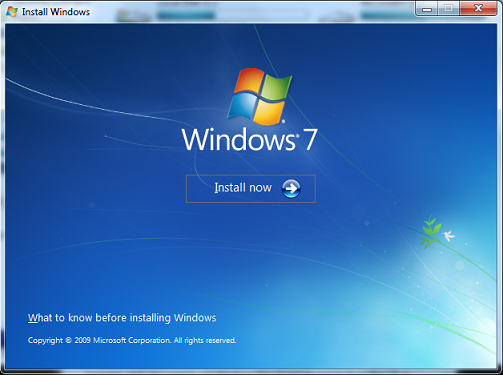
In this post I will show you a simple way on how to burn Windows into CD/DVD disk. There is a free program called iso burner which can burn ISO file in easy way. The windows installer should be in ISO format, this works on Windows XP, Vista, and Windows 7. Active@ ISO Burner is a freeware application that will allow you to burn an ISO image file to CD-R, DVD-R, DVD+R, CD-RW, DVD-RW, DL DVD+RW, HD DVD and Blu-ray Disc.
How to use remote desktop
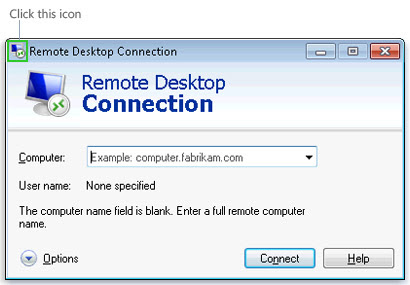
In Windows PC, there is a program called remote desktop connection. This tool is used to control remote computer with your own Windows PC. Before this tool works, you need to configure the computers to connect to each other. If windows firewall is enabled, try to disable it first before trying to connect the two computers. In this tutorial, I will teach you all the steps on how to disable firewall, configure the ip address of two computers, allowing computers to connect to each other.
Jun 17, 2012
Cheap Domain
List of Cheap Domain Name Registrars
Before I give to you the list of top cheap domain registrars, to those who don't know what is domain name, Domain names is used to locate or identify one or many ip addresses. Example of this is google.com represents about a hundreds of ip addresses. Domain names is used in URL address bar to locate the webpages. Another example is the url http://www.infotechywiz.com/2012/06/free-photo-editor.html and the main domain is infotechywiz.com. Now that we know what is the domain name for, we may proceed to the list of cheap domain available in the market. A cheap domain that has the largest customers for their good services and trusted them for a long time.
Jun 16, 2012
How To Install Office 2010
Getting error in Installing Office 2010 in Windows xp?

You might find this tutorial solve your problem installing office 2010 in Windows xp. I have provided a simple and easy steps on how to do it, just follow the steps in how to install office 2010 on your own computer. I decided to include images so that if you are not successful in installing it, then you can also refer to the images provided below the steps. So before we proceed to our tutorial, let's prepare what we need to accomplish this task.
Jun 11, 2012
Manually Change Firefox and Chrome User-agent
STEPS IN CHANGING FIREFOX USER-AGENT

1. Open Firefox browser.
2. In the address bar type about:config.
3. Warning may appear, just click I'll be careful, I promise.
Jun 9, 2012
How to modify exe files?
THINGS YOU WILL NEED:
*Resource Hacker
WHAT IS RESOURCE HACKER?
*Exe file
WHAT IS RESOURCE HACKER?
Resource Hacker is a light software for editing 32 bit applications, OCX, DLL
and SCR files.
You can modify applications by editing dialogs, editing or removing graphics and even removing some application functionality. I was so amazed of the things it can do. There are many tutorials online about how to use this tool so I won't go into too much detail describing how it works. Instead I would like to emphasize what it can do.
You can modify applications by editing dialogs, editing or removing graphics and even removing some application functionality. I was so amazed of the things it can do. There are many tutorials online about how to use this tool so I won't go into too much detail describing how it works. Instead I would like to emphasize what it can do.
How to connect two computers using cross over cable
To connect two computers for a LAN games or file and printer sharing, its very easy! You only need one crossover cable and two network cards.
This is wired connection approach to connect two computers through cross over cable without involving other network devices, such as switch or router. It’s effective and simple way if you want to connect the computers temporary. If the network card on computers supports auto MDI/MDIX feature, you could use crossover or straight through network cable to connect both computers. If not, crossover cable is needed.
May 5, 2012
Increase PC Performance
Many computer users are worried about their computer's performance. After spending lot of bucks, still they cannot have that charm of using PC as they had expected. Here I am going to explain some major tricks which are used by many computer users which help them to take efficient use of their CPU.
Why Your Computer Performance has Dropped: When Windows XP computers were first shipped, many retailers only installed the minimum amount of memory required to run a Windows XP computer – 128 MB. Consumers took their new computers home only to find that after they loaded all of their games and applications their computer’s performance dropped drastically and was even slower than their old computer.
Shortly thereafter, the default amount of in new computers was increased to a more robust 256 MB. This was plenty of memory for computer performance with Windows XP and a few applications running. However consumers have become increasing concerned about their security and have installed ever more demanding anti-virus, anti-spyware, and firewall programs. With all of this running at once computer performance has taken a hit again and many people now rely on Windows virtual memory to run their computer.
May 3, 2012
Image Gallery CSS
Image Gallery
Magical things can be done by combining various CSS properties, especially when some of the new CSS3 tricks are thrown into the mix. Let’s take a look at building a cool looking stack of Polaroid photos with pure CSS styling.
So today we’re going to be making an image gallery where the images zoom out on click. We’ll also add a close button for closing the images after they’ve been zoomed out. Best of all, we’re going to be doing it all with just CSS!
May 2, 2012
Create Shutdown timer
This is one of my favorite tricks, shutting down my Windows XP machine with one simple line of code!
This might not seem necessary since the power button is tucked neatly inside the Start Menu, but this trick has a few more uses. Not only can you use this on your machine, but on network machines as well – as long as you have administrative access! You can also restart machines, set comments (the reason for the shutdown), specify time and more!
May 1, 2012
How to hide files
How to Hide Files
Ok today i will show you how to hide files in Windows Xp, Windows Vista and Windows 7. There are two methods on how to do it. Method 1 will be the easiest procedure to hide files, and method 2 is if you are familiar with command prompt, I will show you what will be the command for hiding a files. So let's start.
Subscribe to:
Posts (Atom)